Blog Comments

Hello. Today we have been learning how to show people to make a comment for Cybersmart. We learnt how to put in characters and how to put clothes and hair and emotions. We also made this by a template from Canva. We had 4 squares that were different colours.  After we had to write what you would have to do in blog comments in the boxes. Here is mine I hope you like it 🙂

Copy of Comic Template by Subreen

Pixton App

Hello! Today we have been learning about the Pixton app, how to move things and change things. We had to make a ‘would you rather’ comic. I did ‘would you rather drive forever or live in the sea or live in a barn?’ My friend picked the barn because she loves animals and it’s not expensive. Next time I would probably not add so many slides because it takes too much room,  but it turned out good. Here is mine, I hope you like it 🙂

Keeping Ourselves Safe Week 10

Hello for week 10 Keeping Ourselves Safe we had to do safe and unsafe touches. We had to colour code the boxes so they make sense and write why you put them in this order. I put them from safest to not safe to least safe. We also had to do types of touch from touch we like to touch we don’t like to touch that is confusing and want to stop. Here is mine I hope you like it 🙂

My Book Character Emotions

Hello for the last week we have been doing a new weekly challenge. This time we had to make emotions from the main character in our book. The book I chose was FING it was made by David Williams. For my main characters I picked the child, Mum, Dad and the very main character… FING  I put why theses characters have these emotions. I also put some emojis and a photo of me I hope you like it 🙂

My Canva Name

Hello for the last week we have been learning to use knew features in canva. We had to use a slideshow and make it move we had to click on a button and then we could change the presentation. I had to remove my background in the photo so then nothing else would show. Then I could use different types of colours and fonts for the letters of my name too! Here is my one but I really enjoyed making it because I could see everything moving with just 3 slide shows. But next time I might make things smaller so it can fit a little better.


My Broom

Hello. For the last week we have been learning how to make our own broom. We did this because we read a book called room on the broom. I created mine out of paper string string a balloon to make it float. Lots of other people though made theirs out of Lego and put of shapes. But I made mine out of paper string and a balloon because it was easier to do. If I could change my broom I would have added a bag instead that was open so it would not be heavy for the  balloon and it would have floated more. I would also use Popsicle sticks instead of paper so it would be easier too.  I am going to show you my pictures of  me making  it from time to time.

This is when I started


This is when I put the string in the holes

This when I put in seats

This is the balloon not filled up
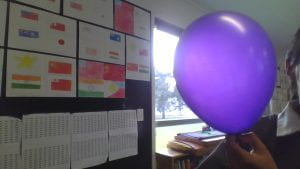
This is when the balloon is filled up This is when it is all tied up and ready to fly away.